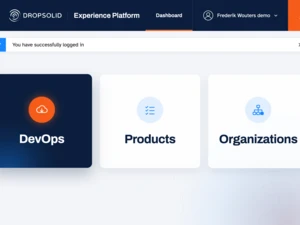
Step 1: Create a New Project
The process begins by creating a new project within the Dropsolid Platform. You simply assign a project name, select your organization, and choose the type of project you want to deploy.
Available project types include:
- HTML projects for front-end environments
- Drupal projects for full Drupal websites
Organizations can also upload custom installation profiles. These profiles make it possible to deploy multiple websites with consistent design, structure, and functionality. This is ideal for organizations managing many sites.
For this demonstration, a standard Drupal 10 installation is selected. After choosing the Git reference, server location, and PHP version (PHP 8.2), the platform automatically provisions the necessary environments. By default, both development and staging environments are created.
Step 2: Review the Environment Setup
Once the project is created, the Dropsolid Platform automatically generates a GitLab repository for the project. This repository can be accessed securely through SSH or via single sign-on from within the platform.
At the same time, the infrastructure environments are provisioned and Drupal is prepared for installation. The platform handles the setup process automatically, removing the need for manual infrastructure configuration.
To make the site publicly accessible, password protection can be disabled. The environment then restarts, and within minutes the website becomes available through its assigned URL.
Step 3: Install and Configure Drupal
With the environment ready, Drupal can be installed immediately. After installation, you can log in as an administrator and begin configuring your website.
From this point, you can:
- Review or update the project code through GitLab
- Connect a custom domain name
- Enable SSL certificates managed automatically by the platform
Within minutes, you have a secure, fully operational website ready for development or content creation.
Build and Launch Websites Faster
By automating infrastructure, repository management, and environment provisioning, the Dropsolid Platform enables organizations to launch Drupal websites quickly and efficiently.
This approach reduces operational complexity and allows teams to focus on building and managing digital experiences instead of handling infrastructure.
If you want to learn more or see a live demo, visit dropsolid.ai